No upload step
Text and files never leave the Mac for bundled transformations.
Privacy guide
Paste-a-string websites are fine for throwaway samples. For production configs, customer data, tokens, or private keys, a local Mac utility avoids an unnecessary upload. MachKit bundles Codec, Cipher, JSON Formatter, and related tools so those jobs stay on your computer.
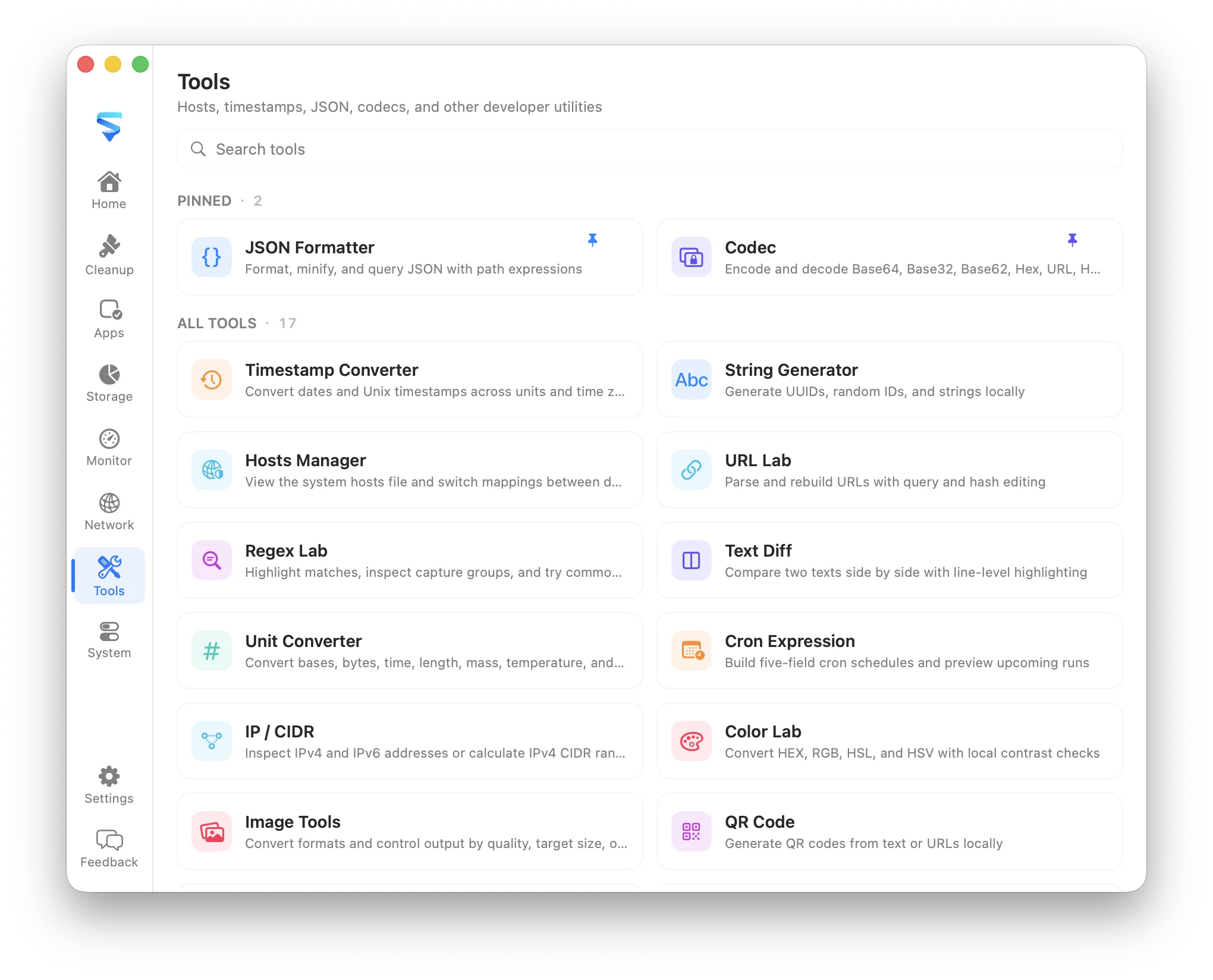
Text and files never leave the Mac for bundled transformations.
Base64, Data URI, JSON, AES/RSA, and related chores without a browser tab.
Searchable utilities share shortcuts, theme, and localization inside MachKit.
What it covers
Most web converters receive your full input in a request or client script context you do not control. Even honest sites create copy-paste risk, history leakage, and third-party script exposure.
MachKit ships utilities as local bundled content inside a native macOS app. Transformations for Codec and Cipher do not require an account or cloud round trip.
Install MachKit from GitHub Releases, open the Tools workspace, and pin Codec or Cipher if you convert data often.
FAQ
Use them for non-sensitive throwaway examples. Prefer MachKit when the payload could identify a person, system, or secret.
Start with Codec for Base64/Data URI/URL encodings, Cipher for AES/RSA/SM crypto, and JSON Formatter for format/minify/query.